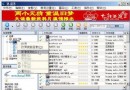
不想安裝納米機器人?在納米盤下載頁面,右鍵空白處選「使用迅雷下載全部連結」,彈出迅雷任務對話框:
範例:
原始:javascript:AddLink('https://img.namipan.com/downfile/.../file.rar')
處理後:https://img.namipan.com/downfile/.../file.rar
確定即可直接用迅雷高速下載。
嘀嘀打車添加訂單附加資訊教學:預約叫車備註與微信支付綁定
MSN 登入常見錯誤 0x81000370 與 1601 解決方案(含 Win2000/XP 差異處理)
如何將 Opera 瀏覽器設為預設瀏覽器?內建設定與系統關聯雙重保障
讓 MSN 圖示常駐在 Windows 7 通知區域
微信小程式怎麼進入?三種開啟方法圖文教學
12306 鐵路訂票網站憑證錯誤解決:IE9 手動匯入根憑證完整圖文步驟
出租車司機如何使用快的打車司機版?接單、導航、評價全流程
Windows Live Mail 無法啟動/郵件打不開?缺少資料庫元件,安裝官方 Live 安裝包修復