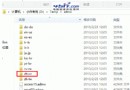
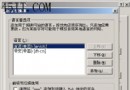
IE8 設定微軟正黑體卻常被第三方瀏覽器/他人改回新細明體?修改登錄強制固定樣式表,徹底鎖定字型顯示。
regedit。HKEY_CURRENT_USER\Software\Microsoft\Windows Sidebar\IEOverride\StylesUse My Stylesheet 雙擊,數值資料改為 1(十六進位/十進位皆可)。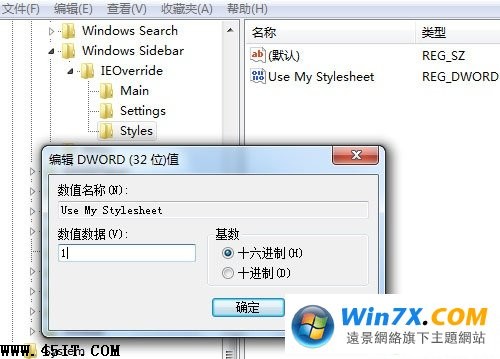
此設定啟用後,IE8 會強制套用使用者自訂樣式表(含字型設定),任何外部程式或使用者操作均無法覆蓋,微軟正黑體永久生效。
Foxmail 6.0 反垃圾郵件實戰:貝葉斯過濾與自動清理全攻略
360 WiFi 共享精靈手機搜不到熱點?Win7/8/XP 完整排查指南
免費 E-mail 郵箱分類大全:Web信箱、POP3信箱、轉信信箱優缺點對比
微信小視頻黑屏、無法拍攝?多半是相機權限未開,華為/小米/魅族通用解法
農行 K寶使用完整圖文教程:從驅動安裝到網銀登入、易趣付款、轉帳全流程
IDM 使用技巧八則:盜版提示繞過、關閉監視進程、設定暫存目錄、單線程、翻牆下載、備份設定、瀏覽器關聯、Chrome 擴充修復
IE 出錯導致桌面消失?一招不重開機恢復 Explorer:Ctrl+Alt+Del → 新增任務 explorer.exe