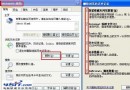
卸載 TT 瀏覽器後 MSN 點郵箱無法直達 Hotmail,只能網頁登入?因預設瀏覽器關聯遺留錯誤。
任何更換/卸載瀏覽器後導致協定關聯異常,均可透過目標瀏覽器內建的「設為預設瀏覽器」功能一鍵修復。
強化 Foxmail 自動完成功能,輕鬆管理常用郵件地址
加快網頁顯示速度兩大絕招:禁用多媒體與調整快取
迅雷變身兼職秘書:修改每日提示檔案,讓啟動時提醒重要事項
Cisco 策略路由(PBR)配置實例:依來源 IP 指定下一跳
微信朋友圈純文字發布教程:長按右上角相機圖標 2 秒進入文字模式
Outlook 郵件正文插入附件技巧:切換 RTF 格式即可實現
網路電視四大核心特點:便捷、智能、可控、分享
支付寶帳號註銷完整流程圖文教學:條件、步驟、審核與注意事項
 圖示:Internet 選項程式索引標籤設為預設值