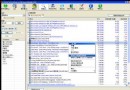
善用收藏夾管理常用網址,配合資料夾分類、匯入/匯出功能,能大幅提升瀏覽效率。
Foxmail 6.0 重裝遷移全攻略:備份、覆蓋安裝與全新安裝導入詳解
忘記阿里雲雲空間密碼?PC 端三種方式找回圖文教程
如何刪除網站歷史記錄?瀏覽器內建功能+巨盾一鍵清理雙重保障
Flash Saving Plugin:瀏覽器輕鬆下載、管理、播放 Flash 動畫
Outlook 郵件正文插入附件技巧:切換 RTF 格式即可實現
修改 IE 下載檔案後的預設處理動作:以 RAR 為例
MSN 無法記住帳號密碼?檢查 Protect Storage 服務、避免清理工具誤刪 MSN 資料
IE 跳出「憑證錯誤」怎麼辦?四步徹底修復網頁憑證異常