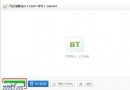
搜狗瀏覽器升級後網頁底部固定出現「相關推薦」導航條,手動關閉下次開頁又現。徹底關閉只需卸載內建「搜狗推薦」小工具:
卸載後該導航條永不再出現,不影響瀏覽器核心功能。若日後需要可在工具箱重新安裝。
Foxmail 發送郵件錯誤「Can not find out mail:1099」秒解:刪除 Outbox 兩檔即可
飛信號不變能否換綁聯通/電信手機號?實測僅支援移動號碼
Outlook 98:工作群組應用開發利器——現成方案、表單自訂、VBScript 擴展、Office 整合、集中安全管理
搜狗瀏覽器 5.0 切換兼容/高速模式雙重教學:右鍵選單與地址列雙入口
電子郵件格式怎麼寫?@ 符號輸入法與 163、QQ 郵箱寄信圖文教學
MSN 反監聽與訊息加密指南:防 ARP 欺騙、啟用內建加密、第三方加密工具 Simp Pro
Firefox 瀏覽器實用技巧問答集:加速、分頁、擴充套件與進階設定
微信朋友圈圖片不顯示怎麼辦?四步排查從網路到重裝