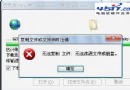
Foxmail 無法發送郵件,彈出 Can not find out mail:1099 錯誤。原因為發件箱索引檔損毀,解決極簡單:
Can not find out mail:1099
C:\Program Files\Foxmail\Mail\<帳號名>\
out.box
out.indx
此為 Foxmail 經典索引損毀錯誤,刪除索引檔即可自癒,郵件內容不會遺失 (仍在 in.box 等收件箱檔中)。
in.box
Maxthon 快捷組三大小技:單一連結開啟、啟動自動開最愛、追加網址到既有組
IE7.0 快速鍵秘笈:分頁、縮放、選單、全螢幕操作一覽
IE 突然關閉?原來是 Cookie 資料檔搞的鬼
BT 下載傷硬盤?攜帶病毒?專家解析:現代客戶端已優化,關鍵在檔案本身
微信訂閱號與服務號差異全解析:推送頻率、顯示位置、功能權限詳細對比
IE7 造訪 HTTPS 網站提示憑證安全問題的解決方案
MSN 帳號格式詳解:使用電子郵件地址登入
去除網盤廣告與彈窗最佳方案:世界之窗瀏覽器 2.4.1.8 或 Chrome 擴充功能