Windows XP Windows 7 Windows 2003 Windows Vista Windows 綜合教學 Linux 系統教學
Windows 10 Windows 8 Windows 2008 Windows NT Windows Server 電腦軟體教學
您现在的位置: Windows教程網 >> Windows教程 >  >> 電腦軟體教學 >> 影像與多媒體

Foobar2000 無法播放 AAC 檔案?檢查副檔名與解碼器

編輯:影像與多媒體

Foobar2000 開啟 .aac 檔案報錯無法播放,排查步驟如下:

  1. 嘗試更改副檔名:將 .aac 改為 .mp3,若能播放,表示該檔案實為 MP3 格式但副檔名錯誤。
  2. 檢查解碼器元件:確認已安裝 foo_input_aac 或 ffmpeg 解碼器元件。
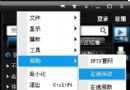
    在 Foobar2000 「偏好設定」→「解碼」→「解碼器」確認 AAC 項目是否啟用。
  3. 重新關聯檔案類型:偏好設定 → 「檔案類型」→ 確認 .aac 已勾選關聯。

大多數情況下安裝完整解碼器套件(如免費的 Free Encoder Pack)即可解決。

Copyright © Windows教程網 All Rights Reserved