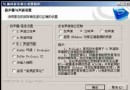
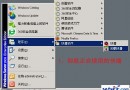
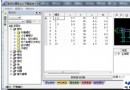
使用 Streambox Ripper 將 RM 轉 MP3 時提示需外部解碼器支援,要求下載 G2 播放器。但 G2 已從 RealPlayer 分離並改為收費,舊版 RealPlayer 仍內建 G2 解碼器。
..\Program Files\Common Files\Real\Codecs\| 原始檔案 | 複製後重命名為 |
|---|---|
| cook.dll | cook3260.dll |
| sipr.dll | sipr3260.dll |
| atrc.dll | atrc3260.dll |
完成後 Streambox Ripper 即可辨識並使用這些解碼器進行 RM 轉 MP3,無需購買 G2 播放器。
Streambox Ripper 尋找特定檔名的解碼器 DLL (cook3260.dll 等) 來處理 RealAudio 編碼 (Cook、SIPR、ATRC)。從 RealPlayer 提取並重命名即可滿足其呼叫需求。