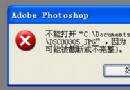
KMPlayer預設開啟「超級速度模式」導致截圖失敗,提示「不能在超級模式下工作」。三種解決方案:
F2
取消後即可正常截圖。
美圖秀秀「賣萌大頭貼」教學:抠圖筆+自訂飾品+背景替換 6 步打造陳靖仇 Q 版
易傑視頻分割器 7.2 使用教程:視頻切片、格式轉換、參數調優
美圖秀秀換背景教程:自拍照雜亂背景一鍵替換,打造專屬大片感
美圖秀秀打造冷藍影樓風:影樓「冷藍」+ 飾品花朵 + 對比展示
SWF文件打開全方案:從瀏覽器插件到專業播放器的完整指南
CAD 圖形界限設定教學:鎖定座標與調整繪圖範圍
QMV 格式詳解:快播專用邊下邊播流媒體格式,體積小、解碼快、支援 1080P
MPC 為 RMVB 外掛字幕完整教學:從下載到樣式調整