PPTV/PPLive 啟動提示「系統播放器損壞」,兩步修復:
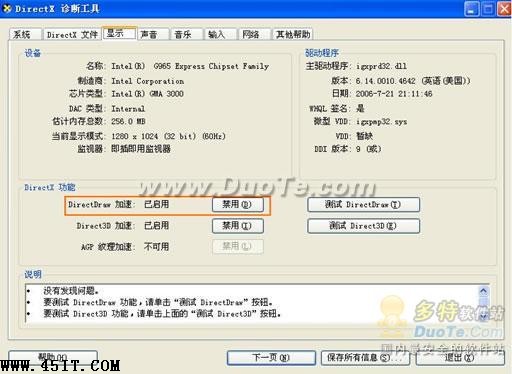
dxdiag
核心原因:系統媒體基礎組件受損/停用,修復基礎組件即可。
風行播放器配音切換:右鍵聲音菜單選語言,片源必須支持多語種
Adobe Flash Player ActiveX 安裝失敗完整解決方案
美圖秀秀文字描邊教程:一鍵勾勒字體輪廓
AutoCAD 查詢指令全解:ID 點座標、DIST 距離角度、面積與質量特性
NSA 檔案怎麼開?ExtractData 解包 + ONScripter 模擬器運行遊戲
mDNSResponder.exe 佔用網絡怎麼刪?Adobe 官方清除教程
暴風影音去廣告教學:清空兩個配置文件並設唯讀
PPS 影音播放器緩衝卡頓原因分析與替代方案