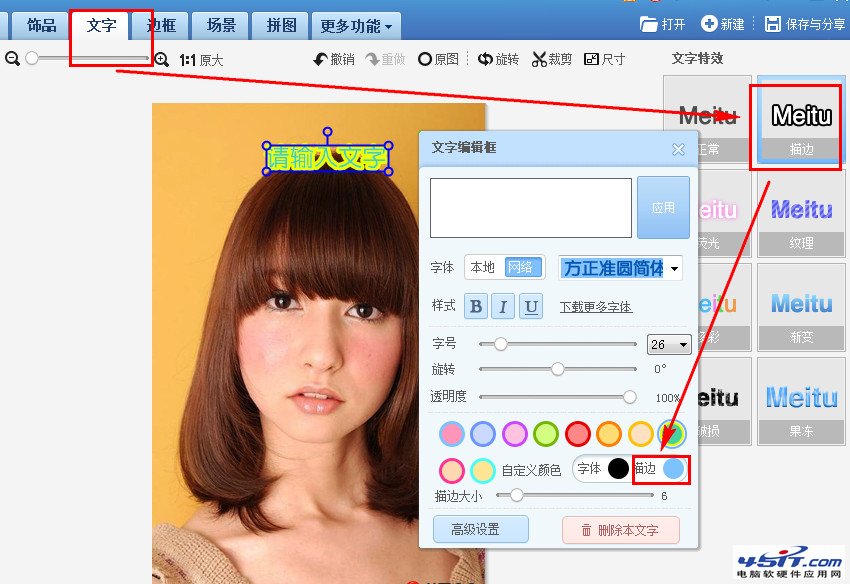
美圖秀秀文字工具內置描邊功能,讓細字更醒目。
操作極簡單,適合海報、表情包、水印文字強化視覺衝擊力。
徹底禁止快播自動升級安裝:金山衛士權限封鎖法實測有效
PPLive常見四大問題解決:虛擬內存、語言、畫面調整、介面切換
手機 QQ 音樂下載歌曲儲存路徑查找與修改全指南
iTunes「其他」佔用空間大深度清理指南(越獄/非越獄通用)
中望 CAD 文字機制新舊對比:所見即所得編輯器與切換參數完整教學
如何刪除虛擬光驅殘留的盤符:Win2000/XP/98 完整解法
暴風影音播放同類檔案部分失敗?將 RealMedia 播放模式改為 DirectShow
3ds Max 常用快捷鍵完整整理:建模、動畫、渲染、修改器分類速查