不小心刪除 Adobe Flash Player ActiveX 後,QQ 空間等需 Flash 插件的網頁全掛了。依提示至 Adobe 官網下載最新版卻屢試不爽,換各大下載站的安裝包依然失敗,IE 一直彈窗要求安裝卻怎麼裝都不行。官網英文說明翻譯後嘗試下載指定插件,結果只能下到類似功能插件,雖然 Flash 能看了,但空間仍提示要安裝,反覆失敗讓人崩潰。
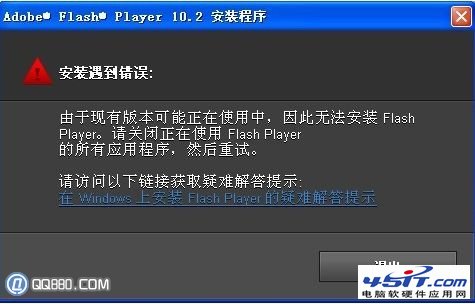
Google 後發現同病相憐者眾,百度知道的修改註冊表法全試過仍無效。後來才知需配合專用卸載工具,具體步驟如下(通常直接執行第 3、4 步即可):
安裝後會產生 Windows Resource Kits 目錄。
下載連結:https://download.microsoft.com/download/1/7/d/17d82b72-bc6a-4dc8-bfaa-98b37b22b367/subinacl.msi
解壓後將 reset_minimal 複製到 C:\Program Files\Windows Resource Kits\Tools\ 目錄下執行,約需 2-5 分鐘,期間勿操作電腦,完成後提示「按任意鍵退出」。
下載連結:https://helpx.adobe.com/content/dam/kb/en/494/cpsid_49419/attachments/reset_fp10.zip
執行卸載操作,徹底清除殘留。
下載地址:百度網盤
官網下載安裝,問題解決。
下載地址:https://get.adobe.com/cn/flashplayer/
按此流程操作,即可徹底解決 ActiveX 安裝失敗、反覆提示安裝的頑固問題。