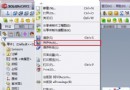
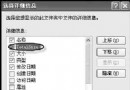
不知 .doc 等副檔名對應程式,可訪問微軟官方查詢頁:
https://shell.windows.com/fileassoc/0409/xml/redir.asp?Ext=doc
實際使用時將 = 後副檔名換成欲查詢者。
XP 中圖片、影音檔強制用系統查看器開啟,忽略習慣軟體 (如 ACDSee)。罪魁禍首在登錄檔:
HKEY_CLASSES_ROOT\SystemFileAssociations\audio\ShellEx\ContextMenuHandlers\WMPAddToPlaylist
HKEY_CLASSES_ROOT\SystemFileAssociations\image\ShellEx\ContextMenuHandlers\ShellImagePreview
HKEY_CLASSES_ROOT\SystemFileAssociations\video\shellex\ContextMenuHandlers\WMPAddToPlaylist
解法: 刪除上述機碼即可恢復自訂關聯優先權。
開始→執行 依序執行:
rundll setupx.dll,InstallHinfSection DefaultInstall 132 c:\windows\inf\shell.inf
regsvr32.exe /i shdocvw.dll
regsvr32 /i shell32.dll
regsvr32.exe /i shdoc401.dll
檔案關聯問題多源於登錄檔錯誤或系統預設搶佔,掌握查詢官方對應表、清理 ShellEx 機碼、手動建立 .exe 關聯、一鍵恢復預設四大招,即可應對絕大多數關聯疑難雜症。