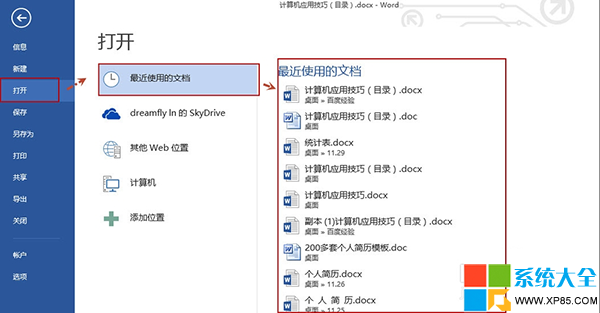
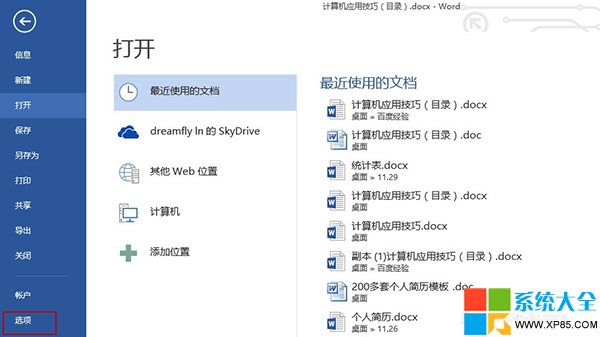
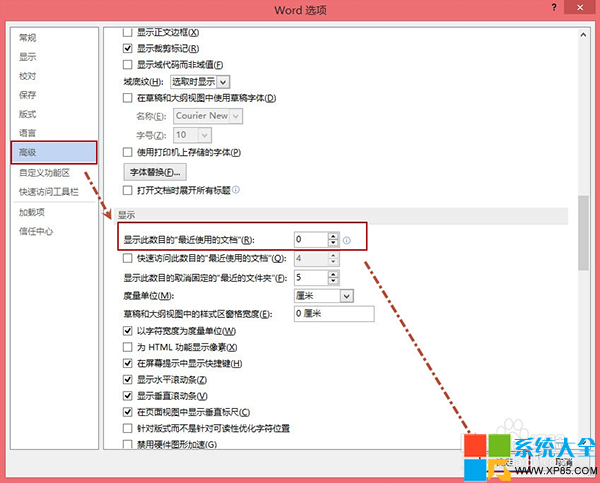
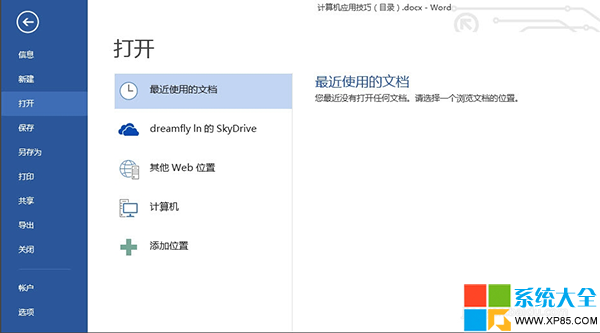
Word/Excel/PowerPoint 2013 預設在「檔案」頁面顯示最近使用檔案,若不想洩露隱私,可將顯示數量設為 0。
Excel、PowerPoint 設定方式相同,分別在各自的選項中操作即可。
火影忍者 OL 火主忍者考試 131 層通關攻略:自來也/半藏/山中風陣容打法詳解
WPS 文件保險箱:一鍵開啟自動備份與版本回溯,寫錯文件也不怕
12306「非法請求」解決方案:改用原版IE、更新搶票軟件、官網自動查詢技巧
搜狐視頻官網節目下載教學:安裝搜狐影音一鍵下載
CF 全民軍餉計劃 11 月:連續登錄領五星禮包,獎勵內容一覽
360 極速瀏覽器如何安裝 Chrome 擴充功能?CRX 直接拖入、解壓檔案載入開發者模式雙軌教學
手把手教你註冊微信公眾號:從申請到認證全流程圖解
金山毒霸 VIP 服務獲取指南:即時交流與遠程協助使用教學