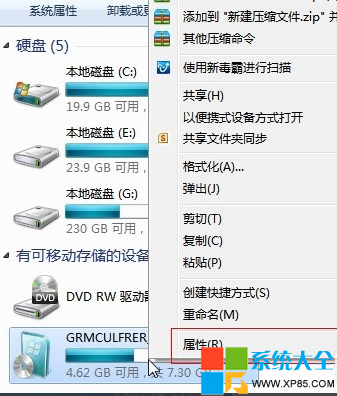
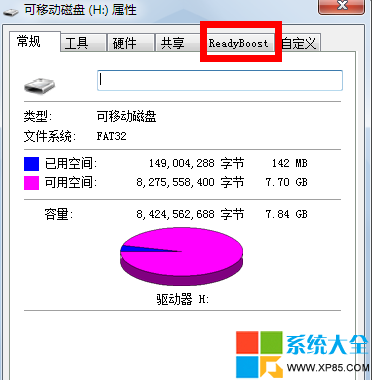
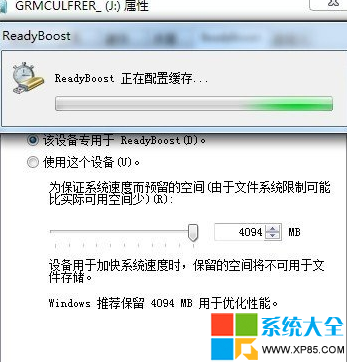
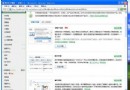
低規格電腦強裝 Win7 常因記憶體不足而卡頓。Windows 內建 ReadyBoost 技術,可將符合速度規格的隨身碟/記憶卡當作快取,減少硬碟存取,顯著提升回應速度。
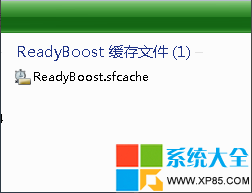
ReadyBoost.sfcache
實測心得:啟用後開啟程式、切換視窗明顯順暢,對無法加裝記憶體的舊筆電、迷你主機是極佳低成本升級方案。
本文來源:系統之家 www.xp85.com
平板閱讀 PDF 必先瘦身:PDFCool Studio 切割、提取、裁剪三步驟優化全教學
Foxmail 黑名單設定教學:三步阻擋垃圾廣告郵件
火影忍者OL雷主平民忍考133層通關攻略:無人間道陣容三回合速推
iPhone 隱藏神技 29 招:搖一搖撤銷、耳機拍照、睡眠定時、紅點消除全攻略
《刺客信條2》第二章流程攻略:逃離佛羅倫薩、學習潛行偷竊、達芬奇修袖劍、刺殺烏貝托、降低通緝、護送家人出城
愛奇藝彈幕發送全攻略:文字/表情/圖片/顏色/位置/高級玩法
網頁列印省紙省墨神器:PrintFriendly 即刪即印、另存 PDF、去廣告去干擾,瀏覽器無需安裝擴充
會聲會影開啟網路下載影片:格式工廠轉檔後再匯入編輯