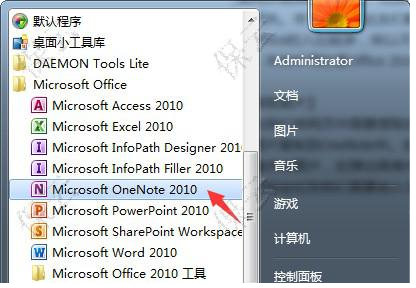
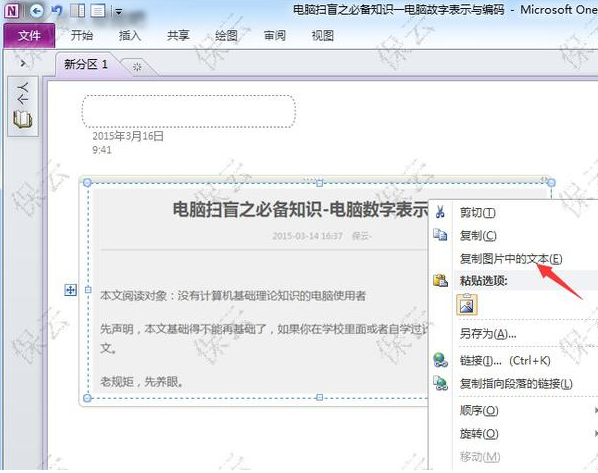
Office 套件自帶 OneNote,無需額外安裝 OCR 軟體,識別率極高,操作極簡單。
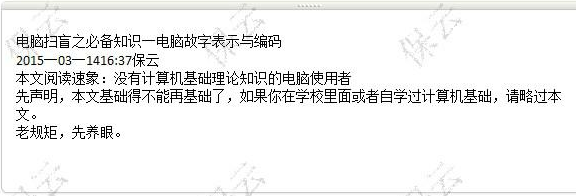
測試識別率極高,個別錯字可人工修正,Office 用戶零成本享受優質 OCR。
Windows 定時關機/重啟神技:快捷鍵與一秒關機全攻略
天涯明月刀「心法殘頁」獲取與精修全攻略:拍賣行/副本掉落/兌換NPC、精修每次+2%屬性、所需潛修點數遞增表
網易信箱防盜三重奏:登入歷史查詢、人臉辨識、簡訊二次驗證
手機省流量 3 招:離線地圖、純文字信箱、壓縮瀏覽器
Rolan 快速啟動工具無法啟動?刪除設定檔或重置預設值修復
小米隨身 WiFi 驅動安裝失敗?官方版本、默認路徑、論壇求助三步解決
LOL船長普朗克榮耀歸來:昔日霸主皮膚免費領取資格與截止時間
無法上網?用 WinPE 快速判斷是網卡故障還是系統問題