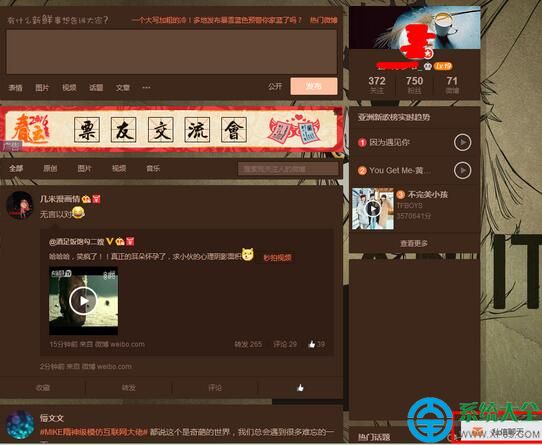
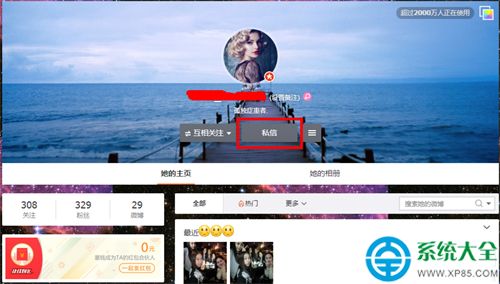
新浪微博發私信兩種入口:主頁右下角「私信聊天」窗口搜尋好友發送、或進入好友主頁點擊頭像下「私信」按鈕直接發送。操作直觀,秒級觸達。
兩法任選其一,前者適合批量管理會話,後者適合瀏覽動態時順手聯繫。
手機百度輸入法懸浮窗關閉教學:內建便簽不需要時一鍵關閉
CF M4A1-死神實戰評測:陳子豪解說英雄級武器屬性與實戰表現
360雲盤離線下載使用技巧:磁力/BT/HTTP離線存雲盤,不佔本地帶寬極速囤資源
美圖秀秀調整圖片尺寸完全指南:像素/厘米/百分比/批次處理與列印級輸出
釘釘 @所有人 教程:群公告/緊急通知一鍵觸達全員
搜狗輸入法 V 模式完整教學:中文數字、羅馬數字、日期快速輸入
.cdr 檔案用什麼開啟?CorelDRAW 介紹與替代方案
分區助手無損調整磁碟空間:一鍵擴容 C 槽、D 槽,跨分區移動空間不損數據