Windows XP Windows 7 Windows 2003 Windows Vista Windows 綜合教學 Linux 系統教學
Windows 10 Windows 8 Windows 2008 Windows NT Windows Server 電腦軟體教學
您现在的位置: Windows教程網 >> Windows教程 >  >> 電腦軟體教學 >> 電腦軟體介紹

逍遙安卓模擬器卸載應用兩大法:長按桌面或設定中批量刪除

編輯:電腦軟體介紹

逍遙安卓模擬器中想刪除不常用的 App?提供兩種直觀方法:桌面長按單個刪除,或進入設定「應用」列表批量管理。操作簡單,秒釋放存儲空間。

方法一:桌面長按快速卸載(適合單個)

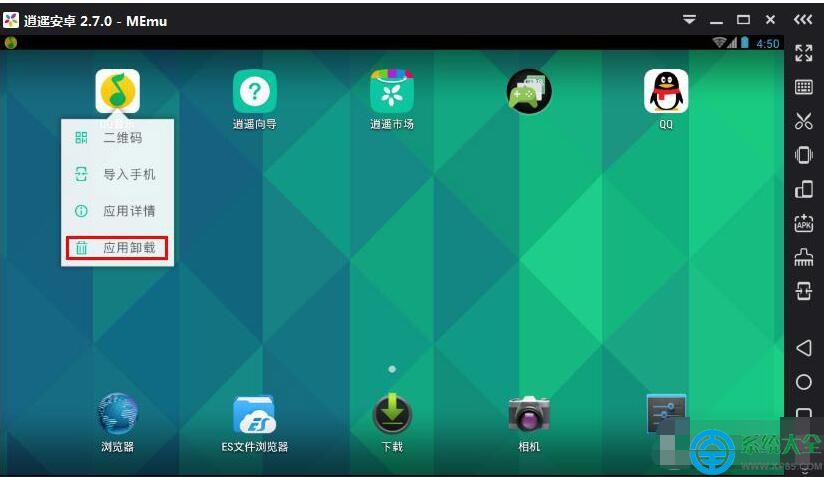
  1. 在模擬器桌面長按目標 App 圖標,彈出選單點擊「應用卸載」。
  2. 長按卸載選單
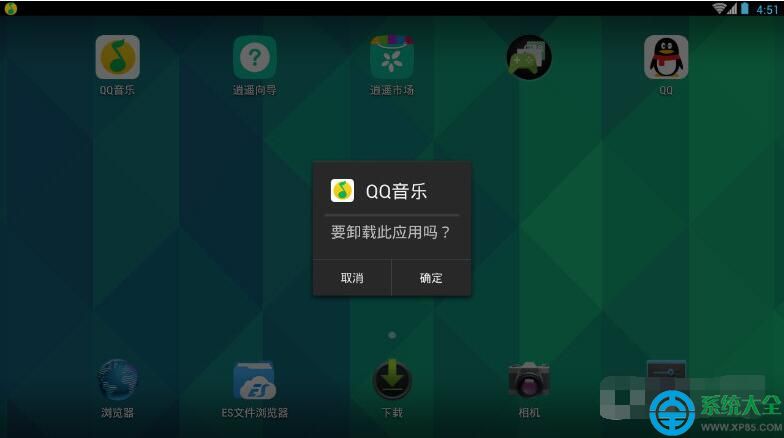
  3. 確認提示框點擊「確定」,即可完成卸載。
  4. 確認卸載

方法二:設定中批量管理(適合多個/查看詳情)

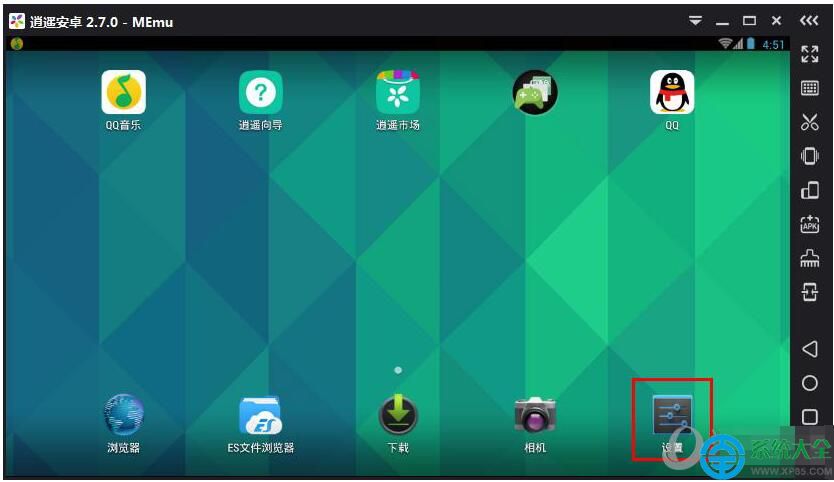
  1. 點擊模擬器側邊欄或主介面「設定」圖標。
  2. 進入設定
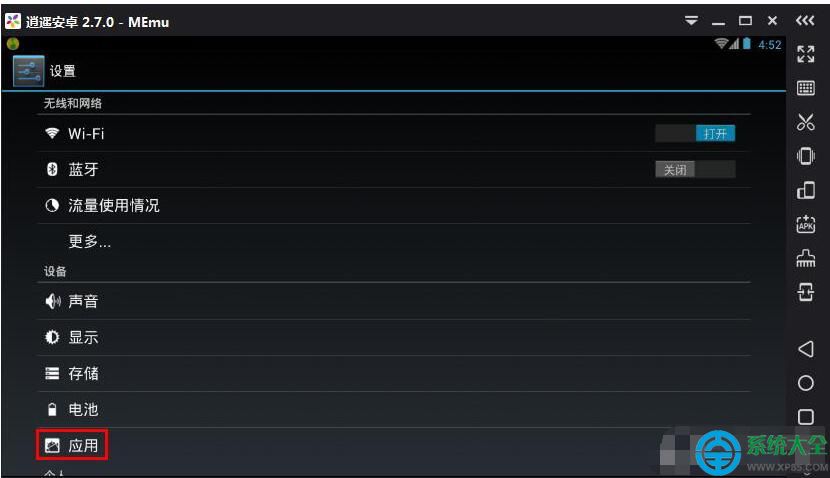
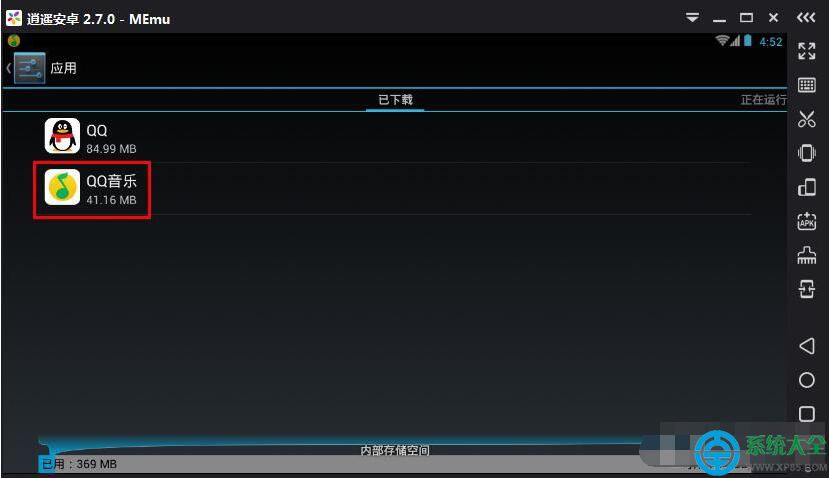
  3. 選擇「應用」選項,進入應用列表。
  4. 應用列表
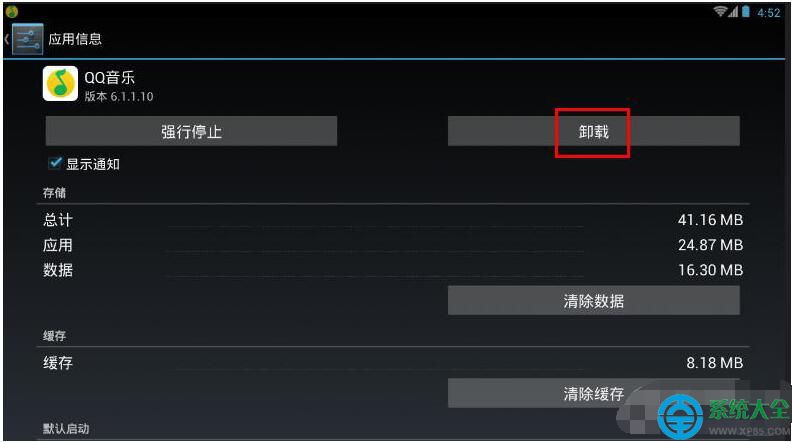
  5. 點擊目標 App(如 QQ音樂)進入詳情頁,點擊「卸載」按鈕。
  6. 選擇目標應用
    應用詳情卸載

兩種方法任選其一,輕鬆保持模擬器系統精簡流暢。

Copyright © Windows教程網 All Rights Reserved