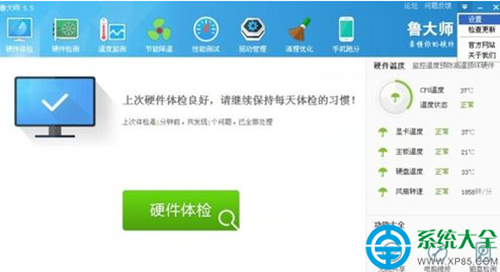
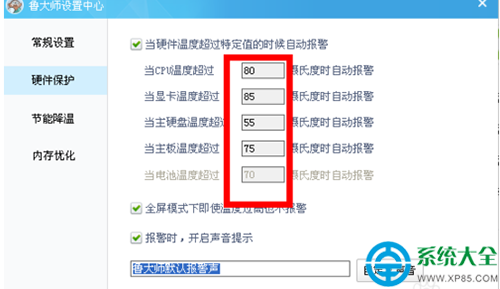
魯大師可設定 CPU、顯卡、硬碟過溫報警:
多維硬體溫度監控,預防過熱損壞與降頻卡頓。
QQ厘米秀光頭造型獲取:商城「小黑黑」套裝+隨意上裝=瞬間變光頭
快壓壓縮包加密教程:右鍵創建壓縮文件→設置密碼保護隱私
2345看圖王批量轉格式:菜單→批量圖片轉換→添加圖片→選輸出格式→開始轉換
網頁表格完美複製到 Word:保留結構去雜質
IE 收藏夾被塞滿垃圾網址?一文教你批量刪除乾淨
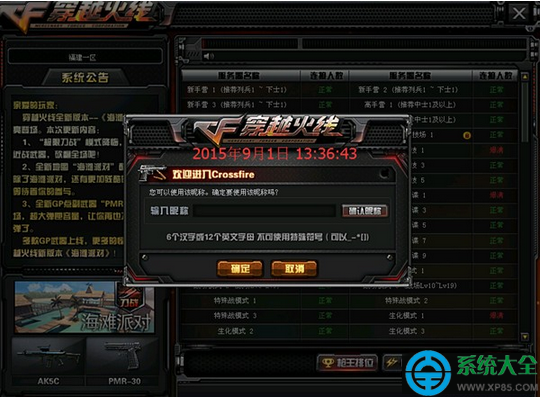
CF 攜手黃鑽尋找拆彈專家:活動機制疑似未完善、領取資格混亂
BlueStacks 藍疊模擬器安裝前必讀:依賴元件、記憶體、安裝路徑、顯卡相容性完整清單
金山毒霸免打擾模式開啟教學:遊戲全螢幕自動靜音彈窗、釋放資源