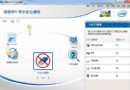
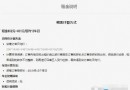
好壓分卷壓縮操作直觀:
大檔案分卷傳輸、郵件附件限制突破的實用技巧。
Word 2013 選單列/工具列消失如何找回?三大修復法依序嘗試
「個人文件同步備份系統」實戰:累加同步+自動排程+智能重試,打造零干預備份閉環
百度指數使用教學:關鍵詞趨勢、需求圖譜、輿情管家、人群畫像、行業指數全功能解析
《虐殺原形》PC版第二關「UNEXPECTED FAMILY」圖文流程:逃離實驗室、吸收隊長、潛入妹妹公寓
會聲會影制作視頻字幕全攻略:文字動畫/自定義動作/特效參數深度解析
俠客風雲傳打狗棒法武器搭配心得:只需齊天棍,控場輸出雙滿分
WPS 雲文檔刪除已上傳檔案:網頁版/客戶端通用 4 步驟釋放空間
《合金裝備5:幻痛》金屬古菌無傷S評價速通視頻攻略解析