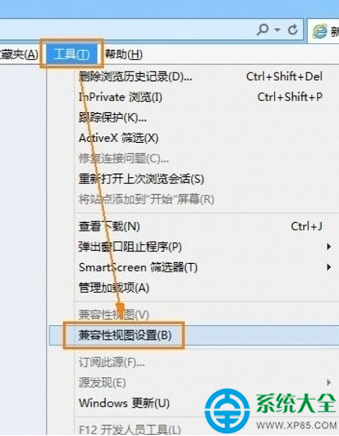
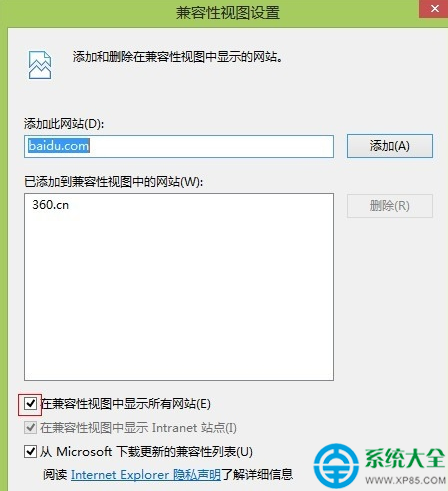
IE10/IE11 強制兼容舊站三步:
IE 原生四步/360 一鍵,兼容模式隨心切。
Excel 進階技巧:用隱藏工作表保護公式與敏感資料
FlyCat 局域網同步看圖:主控端翻閱、被控端全螢幕同步顯示,如同並肩賞圖
皮皮播放器無法播放影片?四大常見原因與對應解法
支付寶掃發票驗真偽、搖獎雙重功能:城市服務→發票搖獎三步走
防止他人搜尋到你的私密檔案:偽裝副檔名 + 內容加密雙重保險
Mac 進入 Recovery 模式後如何開啟 Safari 瀏覽網頁?
《御天降魔傳》BOSS 玄霓全技能機制與打法攻略:躲避為主、優先清小怪、利用硬直輸出
人生日曆【有獎活動】曬年味照片贏 iPhone 6s Plus、米老頭禮包、定制抱枕