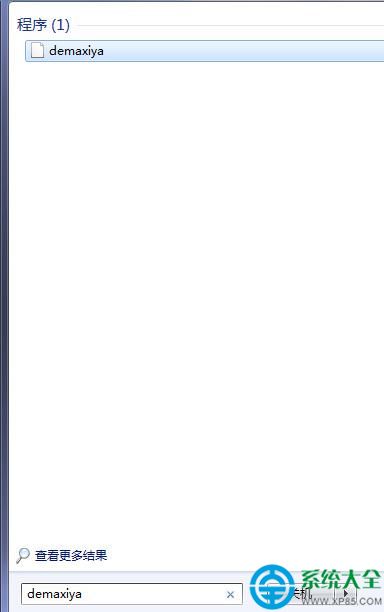
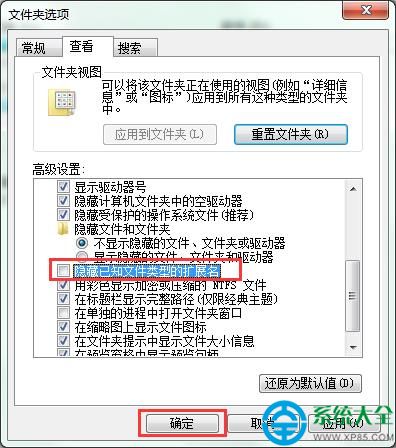
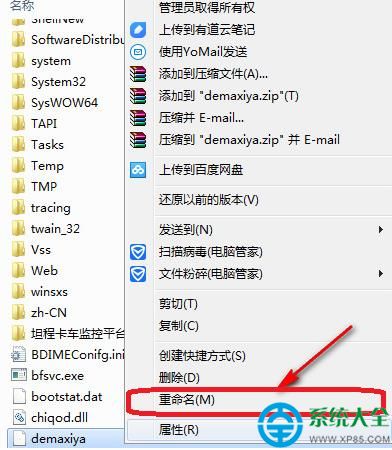
360 瀏覽器啟動時提示「找不到 demaxiya.dll」,實際上該檔案存在但副檔名遺失。只需將其改回 .dll 即可修復。
.dll
demaxiya
demaxiya.dll
系統更新或清理工具偶爾會誤判該檔案而移除副檔名,導致動態連結庫無法被載入。補回副檔名即可恢復正常。
Word 批量選取特定樣式物件三大技巧:選取相似格式、VBA、進階查找全解析
U大師製作 USB 啟動盤失敗解決 4 法:關殺毒/還原 USB/格式化/FAT32 格式
Excel 橫向資料轉直向:選擇性貼上「轉置」一鍵搞定
愛虎檔案恢復軟體實戰:誤刪檔案完整救援教學(含圖解)
豌豆莢應用升級管理:關閉提醒、解決升級異常、自訂下載路徑
搜狗輸入法候選字數量調整教學:四步增加候選選項減少翻頁
Firefox 火狐瀏覽器查看/清除已儲存密碼完整教學
MyEclipse 在 WebSphere 建立資料來源教學:JDBC Provider、JNDI 命名、安全別名、Derby 測試連線全流程