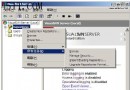
單純從「新增/移除程式」移除再安裝 IIS,常因 Metabase 殘留導致故障復發。標準化徹底重裝流程如下:
%windir%\system32\inetsrv
%windir%\iisX.log
\inetpub\
提醒:重裝前請備份 Metabase (%windir%\system32\inetsrv\metabase.xml) 及網站內容。非必要勿輕易重裝,優先針對具體錯誤排查。
%windir%\system32\inetsrv\metabase.xml
伺服器虛擬化存儲難題全景解析與技術破局指南
Linux Apache 進階配置實戰:環境變數判斷、防盜鏈、日誌切割與條件記錄
網路伺服器安全防護入門:硬體架構、作業系統強化與服務精簡
DHCP 伺服器進階三絕技:動態網關/DNS、IP-MAC 綁定、跨子網代理
突破距離限制:服務器遠程管理兩大實戰技巧
FTP 上傳頻斷線/逾時?FileZilla 網路設定向導一鍵診斷解決
Apache 基於 IP 的虛擬主機配置:單 IP 綁定多域名多站點完整實例
網管人員日誌分析的五大迷思與突破策略