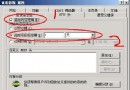
在 Windows 環境(IIS/Apache)中啟用 PHP cURL 擴展的標準流程:
找到 php.ini,搜尋 extension=php_curl.dll,移除行首分號 ; 啟用:
extension=php_curl.dll將以下三個檔案從 PHP 安裝目錄複製到 %windir%\system32\(或 C:\Windows\System32\):
php_curl.dlllibeay32.dll (OpenSSL 相依)ssleay32.dll (OpenSSL 相依)iisreset 或在服務管理中重啟「World Wide Web Publishing Service」。建立 phpinfo.php:
<?php phpinfo(); ?>瀏覽該頁面,搜尋「curl」區塊,顯示版本資訊即表示成功載入。
常見問題: 若仍報錯,請確認 PHP 版本(TS/NTS)、VC 編譯版本(VC11/VC14/VC15)與 DLL 檔案完全匹配;建議從官方 PECL 下載對應版本套件。