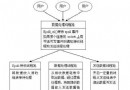
系統運行久了會殘留大量無用進程,拖慢效能。利用管道組合 ps、grep、cut、xargs 可按關鍵字批量清理。
ps -ef | grep ./amplxe-gui | grep -v grep | awk '{print $2}' | xargs kill -9
ps -ef:列出所有進程完整資訊(含 PID、PPID、CMD)。grep ./amplxe-gui:篩選命令列包含關鍵字的行。grep -v grep:排除 grep 自身進程(否則會誤殺)。awk '{print $2}':提取第 2 欄 PID(比 cut -c 9-15 更穩健,不受欄位寬度影響)。xargs kill -9:將 PID 列表作為參數傳給 kill -9 強制終止。kill -9:進程無法釋放資源、刷新緩衝區,可能導致資料損壞。優先嘗試 kill -15 (SIGTERM) 讓進程優雅退出。ps -ef | grep keyword 確認目標進程無誤。# pgrep + xargs(更簡潔) pgrep -f ./amplxe-gui | xargs kill -9 # pkill 直接按模式殺進程 pkill -9 -f ./amplxe-gui
pgrep/pkill 專為模式匹配設計,碼更短、可讀性更強,推薦日常使用。