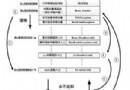
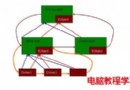
自 0.7.48 版本起,Nginx 引入類似 Squid 的 Web 緩存功能,以 URL 組合為 Key 經 MD5 哈希存儲於磁盤,支持任意 URL 及非 200 狀態碼(301/302/404)緩存。雖官方版本缺乏 PURGE 指令,但配合第三方 ngx_cache_purge 模塊可實現指定 URL 緩存清除。Nginx 緩存主要由 proxy_cache(反向代理緩存後端)和 fastcgi_cache(緩存 FastCGI 動態內容)兩套指令構成,功能大致相同。0.8.32 版本已相當成熟,加上 ngx_cache_purge 可完全替代 Squid,且在多核 CPU 利用、反向代理、負載均衡、健康檢查、故障轉移、Rewrite 等方面遠超 Squid,實現「一台 Nginx 同時擔任負載均衡與 Web 緩存」。
ulimit -SHn 65535
wget ftp://ftp.csx.cam.ac.uk/pub/software/programming/pcre/pcre-8.00.tar.gz
tar zxvf pcre-8.00.tar.gz && cd pcre-8.00 && ./configure && make && make install && cd ..

wget https://labs.frickle.com/files/ngx_cache_purge-1.0.tar.gz
tar zxvf ngx_cache_purge-1.0.tar.gz

wget https://nginx.org/download/nginx-0.8.32.tar.gz
tar zxvf nginx-0.8.32.tar.gz && cd nginx-0.8.32
./configure --user=www --group=www \
  --add-module=../ngx_cache_purge-1.0 \
  --prefix=/usr/local/webserver/nginx \
  --with-http_stub_status_module --with-http_ssl_module
make && make install
nginx.confuser www www;
worker_processes 8;
error_log /usr/local/webserver/nginx/logs/nginx_error.log crit;
pid /usr/local/webserver/nginx/nginx.pid;
worker_rlimit_nofile 65535;
events {
use epoll;
worker_connections 65535;
}
http {
include mime.types;
default_type application/octet-stream;
charset utf-8;
# 緩存路徑:必須在同一分區
proxy_temp_path /data0/proxy_temp_dir;
# 緩存區名 cache_one,內存 200MB,1天清理一次,磁盤 30GB
proxy_cache_path /data0/proxy_cache_dir levels=1:2 keys_zone=cache_one:200m inactive=1d max_size=30g;
upstream backend_server {
server 192.168.8.43:80 weight=1 max_fails=2 fail_timeout=30s;
server 192.168.8.44:80 weight=1 max_fails=2 fail_timeout=30s;
server 192.168.8.45:80 weight=1 max_fails=2 fail_timeout=30s;
}
server {
listen 80;
server_name www.yourdomain.com 192.168.8.42;
index index.html index.htm;
root /data0/htdocs/www;
location / {
# 故障轉移:遇到 502/504/超時等自動切換後端
proxy_next_upstream http_502 http_504 error timeout invalid_header;
proxy_cache cache_one;
# 不同狀態碼設置不同緩存時間
proxy_cache_valid 200 304 12h;
# 緩存 Key:域名 + URI + 參數
proxy_cache_key $host$uri$is_args$args;
proxy_set_header Host $host;
proxy_set_header X-Forwarded-For $remote_addr;
proxy_pass https://backend_server;
expires 1d;
}
# 緩存清除接口:訪問 /purge/URL 即可清除該 URL 緩存
location ~ /purge(/.*) {
allow 127.0.0.1;
allow 192.168.0.0/16;
deny all;
proxy_cache_purge cache_one $host$1$is_args$args;
}
# 動態腳本不緩存
location ~ .*\.(php|jsp|cgi)?$ {
proxy_set_header Host $host;
proxy_set_header X-Forwarded-For $remote_addr;
proxy_pass https://backend_server;
}
access_log off;
}
}
/usr/local/webserver/nginx/sbin/nginx
清除緩存示例:https://192.168.8.42/purge/test.txt 對應清除 https://192.168.8.42/test.txt 的緩存。