CentOS 6.6 為 6.x 系列最後版本。本文以圖文記錄從光碟啟動到安裝完成的完整圖形化安裝流程,含關鍵選項說明。

安裝前提
- 記憶體 ≥ 628MB 才能進入圖形模式。
- 文本模式不支援自訂分區,建議圖形模式。
- Minimal 版預設文本運行,無桌面環境。
安裝流程關鍵步驟
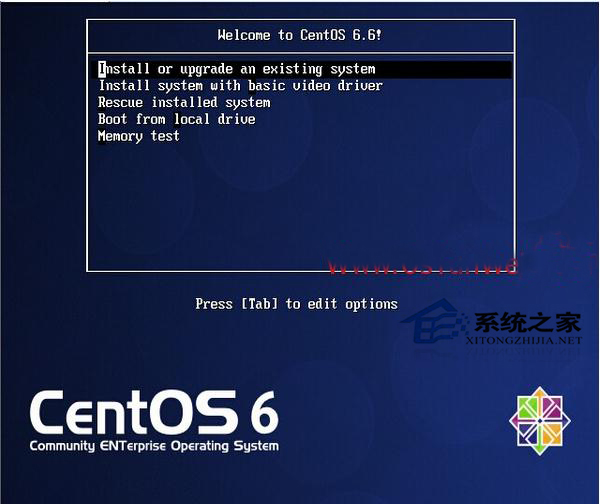
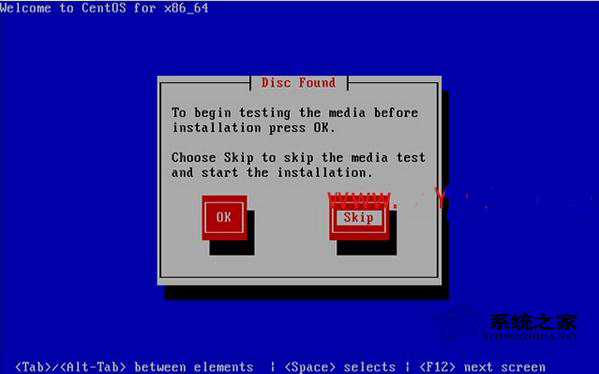
- 啟動選單選 Install or upgrade an existing system,跳過媒體測試 (Skip).
- 語言、鍵盤、儲存裝置類型選擇。
- 主機名、時區、Root 密碼設定。
- 分區方式:選 Create Custom Layout 自訂分區 (建議分離 /boot、/、/home、swap)。
- 軟體選擇:Minimal、Basic Server、Desktop 等。
- 安裝完成重啟,移除光碟進入系統。
生產環境建議安裝 CentOS-6.6-x86_64-minimal.iso 並手動安裝所需服務,減少攻擊面。