需在目錄中快速找出所有可執行檔案或子目錄?ls -F 配合 grep 即可輕鬆實現。

# 找可執行檔 (以 * 結尾)
ls -F | grep "\*"

# 找目錄 (以 / 結尾)
ls -F | grep "/$"
# 或
ls -F | grep "/"
# 需轉義時
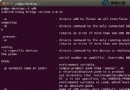
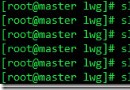
ls -F | grep "\/"ls -F 為各類型檔案加上標識:* 可執行、/ 目錄、@ 符號連結、= socket 等。| 管道將前一命令輸出傳給 grep 過濾。grep "/$" 匹配以 / 結尾的行,即目錄。[root@SOR_SYS ~]# ls -F
1.sh* CC_manual_0701.rar gzpackage/ man.config script/ tr1.txt
2005.03.01 dead.letter index.html ntpd-deploy.sh* start_tomcatServer229-1.sh tr.txt
anaconda-ks.cfg Desktop/ install.log printc.sh start_tomcatServer229-2.sh usr/
apache-tomcat-6.0.30.zip etc/ install.log.syslog rpmpackage/ stop_tomcatServer229-1.sh zy/
camptocamp-tomcat-0.0.1/ get_date.sh lib/ ruby-1.8.7-p248/ stop_tomcatServer229-2.sh zy.bak/此技巧無需 find 即可快速分類列表,極大提升終端操作效率。
Ubuntu 與 Windows 局域網互訪共享檔案:Samba 無密碼與密碼保護兩種模式完整配置
Ubuntu 系統使用 source 命令讓配置文件立即生效
Linux 限制 su - 切換 root 權限:wheel 群組與 PAM 實戰完整指南
Linux 運行等級誤設為 6 導致無限重啟?Grub 編輯單用戶模式救機指南
CentOS 安裝與配置 Subversion (SVN) 版本控制伺服器完整指南
Linux mydumper 報錯 libmysqlclient_16 not defined 解決:LD_LIBRARY_PATH 引入 MySQL 函式庫路徑