選擇分區表格式關係到磁碟容量上限、開機模式相容性、作業系統支援。本文以表格形式完整比較 MBR (Master Boot Record) 與 GPT (GUID Partition Table) 關鍵差異,協助依據硬體環境做正確選擇。
| 特性 | MBR | GPT |
|---|---|---|
| 全名 | Master Boot Record | GUID Partition Table |
| 最大磁碟容量 | 2 TB (32-bit LBA) | 9.4 ZB (64-bit LBA) |
| 最大分區數 | 4 主分區 (或 3 主 + 1 延伸含邏輯分區) | 128 預設 (可擴充) |
| 開機模式 | BIOS (Legacy) | UEFI (需主機板支援) |
| 相容性 | 極佳 (所有 x86 系統) | 需 64-bit OS + UEFI |
| 備份機制 | 無 (單一 MBR 區塊) | 主/備份分區表 (自我修復) |
| 資料結構 | 第 0 磁區 512 bytes | Protective MBR + GPT Header + Partition Entries |
| Windows 支援 | 所有版本 | Vista/7/8/10/11 64-bit + UEFI |
| Linux 支援 | 完整 | 完整 (grub2/efibootmgr) |
| Mac 支援 | Intel Mac 可用 | 原生預設 |
fdisk   僅支援 MBR (新版支援 GPT 但介面不同)
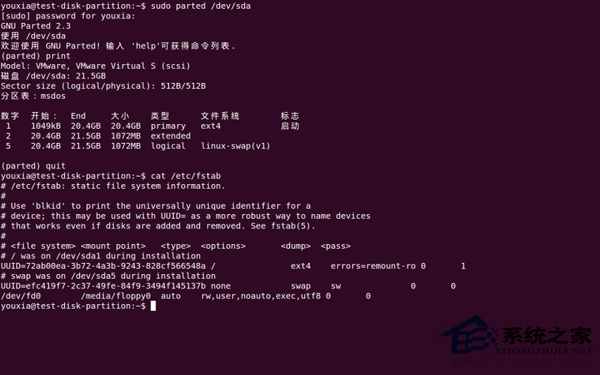
parted  完整支援 MBR/GPT
gdisk   專為 GPT 設計 (cgdisk 互動式)
理解差異後,配合 parted 或 gdisk 即可正確建立符合硬體環境的分區表。
Linux 硬碟分區完整指南:從 MBR、LVM 到 ext4/xfs 檔案系統原理
Linux 核心 Panic 排查實戰:從無法重現到 Red Hat 官方 Bug 確認 ftrace 時間戳溢位
解決雙硬碟安裝 Linux 提示 boot/efi 未分配空間的 BIOS 設定調整
Linux 升级内核与配置 Video4Linux 驱动实现摄像头视频采集
Linux 顯卡驅動安裝後解析度異常?NVIDIA 官方驅動 + xorg.conf 強制指定模式解決
Ubuntu 安裝 qBittorrent:穩定版與開發版 PPA 選擇指南