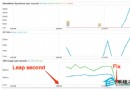
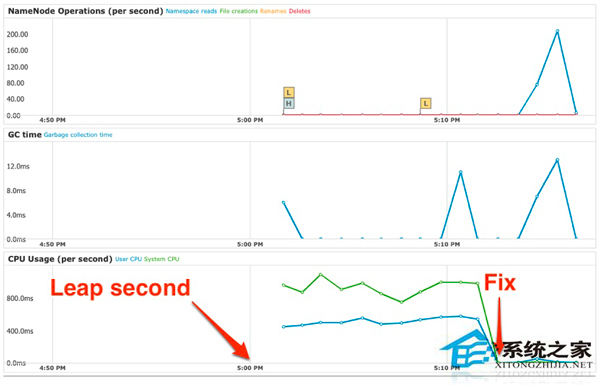
每隔數年插入一個閏秒 會觸發 NTP 客戶端與核心時間同步機制,導致高併發 Java/Go 服務出現 CPU 飆升、延遲暴增。本文提供三步驟偵測腳本與四步驟緩解流程,核心在於啟用 ntpd -x (slew mode) 平滑修正時間跳躍。
# 1. 查詢 NTP 關聯狀態
ntpq -c "lassoc" -c "mrv &1 &999 leap,srcadr,stratum"
# 若輸出含 leap=01 → 將有閏秒

# 2. 檢查時區檔案
file /etc/localtime
# 若含 "no leap seconds" → 無閏秒

# 3. 核心時間狀態
ntptime | egrep 'INS|DEL'
# 有輸出 → 核心已插入/刪除閏秒標記
systemctl stop ntpd (或 chronyd)。ntptime -s 0 -f 0。/etc/sysconfig/ntpd,在 OPTIONS 加入 -x:OPTIONS="-u ntp:ntp -p /var/run/ntpd.pid -g -x"。systemctl start ntpd。ntpd 遇到閏秒會階梯式調整 (step),導致時間倒退/前進 1 秒,觸發 `timerfd`、`futex` 等系統呼叫大量喚醒。-x (slew mode) 以頻率微調方式在約 2000 秒內平滑吸收 1 秒差異,避免時間跳躍。/* leap_test.c */
#include
#include
int main() {
struct timespec ts;
while (1) {
clock_gettime(CLOCK_REALTIME, &ts);
printf("%ld.%09ld\n", ts.tv_sec, ts.tv_nsec);
usleep(100000);
}
}
編譯執行觀察時間是否出現倒退或跳躍。啟用 slew mode 後曲線應平滑無突變。