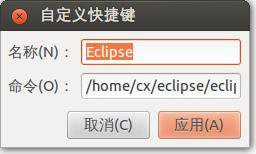
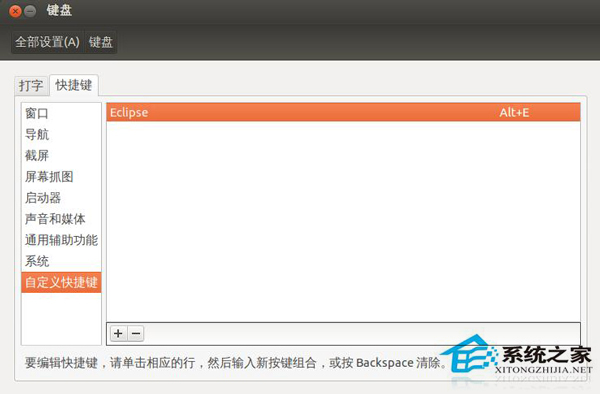
Eclipse
/home/yourname/eclipse/eclipse
之後任何畫面按 Alt+E 即可啟動 Eclipse,同理可為常用軟體設定專屬熱鍵。
幾步點擊即完成全域熱鍵綁定,告別桌面圖示找不到、選單層層點選的煩惱。
Linux系統Nginx日誌定時清理與分割完整指南
CentOS pure-ftpd 530 Login authentication failed 完整排查手冊
VMware 虛擬機克隆後網卡故障:MAC 地址衝突根因與修復實戰
Linux 環境變數管理實戰:使用 env 指令暫時清空 Bash 環境
Linux stty 命令完全指南:終端機模式控制、輸入輸出處理與腳本應用
CentOS 安裝 Tmux 終端機多工神器:源碼編譯、常用快捷鍵、分割視窗、會話管理完整圖解
CentOS MPlayer 播放有畫面無聲音?安裝 alsa-lib + 完整解碼包編譯支援
提升 Linux 下 Chrome 瀏覽器速度 6 招:更新、停用擴充功能、啟用快速關閉標籤等