VirtualBox 啟動時 NAT 端口映射失敗,日誌顯示 can't create datagram socket、failed to redirect TCP/UDP。排除端口佔用、防火牆後,證實為 Windows 網路堆疊損毀。使用 Winsock/DNS 快取修復指令即可解決。
netsh winsock reset all
netsh int 6to4 reset all
netsh int ipv4 reset all
netsh int ipv6 reset all
netsh int httpstunnel reset all
netsh int isatap reset all
netsh int portproxy reset all
netsh int tcp reset all
netsh int teredo reset all
執行完成後重開機,VirtualBox 端口映射恢復正常。此修復不限 VirtualBox,適用所有需端口映射的軟體。

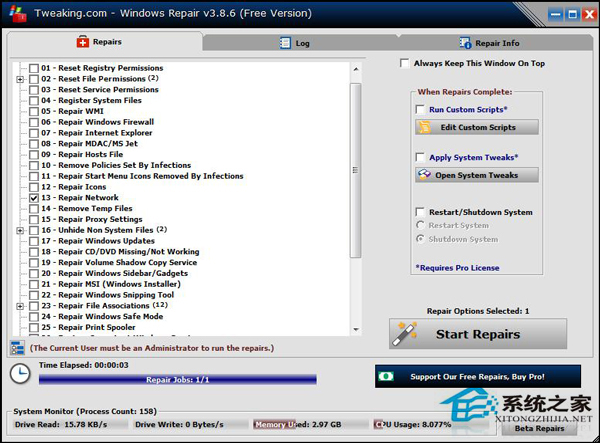
若有其他 Windows 網路異常,亦可嘗試 Windows 修復工具箱映像修復。
Linux 刪除亂碼檔名檔案:透過 inode 編號精準移除
CentOS 6 磁碟配額修改完整實戰:從建立用戶到 quota 限額調整
Ubuntu vi 方向鍵亂碼/失效解決方案:移除 vim-tiny 改裝 vim 完整版
Linux 無法連線 MySQL?權限設定錯誤排查與修復實戰
解決 iptables 「Protocol wrong type for socket」錯誤:升級 iptables 版本
Linux isosize 指令實戰:查看 ISO 9660 文件系統大小的專用工具
Linux 系統管理員必會的 Vim 進階操作:五大模式、Taglist、Cscope、Ctags 整合
CentOS 啟動 Eclipse 報錯 Failed to load the JNI shared library 解決辦法