Windows 複製移動檔案若跨資料夾極其繁瑣。Piky Basket 整合於右鍵選單,讓您像購物一樣「丟進籃子」再一次結帳,輕鬆完成跨目錄批量操作。
核心功能與操作流程
1. 收集檔案(跨資料夾)
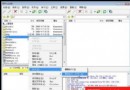
- 右鍵點選檔案/資料夾 → Piky Basket → Drop into the basket。
- 重複操作收集所有來源位置的檔案,程式暫存其路徑。
2. 一鍵批量複製/移動
- 開啟目標資料夾 → 右鍵空白處 → Copy All(複製)或 Paste All(移動)。
- 所有收集檔案即刻出現在目標資料夾。
3. 額外實用小工具
- 複製檔案完整路徑:右鍵檔案 →
Copy paths to clipboard,貼上即得完整路徑清單。
- 命令提示字元直接開啟:右鍵執行檔 →
Command Prompt Here,直接在該路徑開啟 CMD。
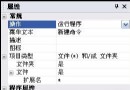
支援快捷鍵 Ctrl+Shift+C 快速呼叫,可自訂熱鍵。頻繁處理大量跨目錄檔案的使用者將大幅節省時間。