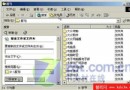
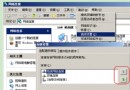
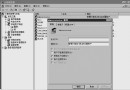
保護隱私檔案不被他人發現,三種不同等級的隱藏法:
右鍵檔案/資料夾 →「內容」→ 勾選「隱藏」 → 「我的電腦」→「工具」→「資料夾選項」→「檢視」→「不顯示隱藏檔案」或「不顯示隱藏檔案與系統檔案」。缺點:極易被發現,保密性低。
利用資料夾內 folder.htt (HTML) 與 desktop.ini 產生警告訊息。複製兩檔至目標資料夾 → 設「唯讀」 → 「資料夾選項」選「Web 風格」。修改 folder.htt 中 var L-Intro-Text 訊息內容、var L-Prompt1-Text 進入連結、圖片連結 %THISDIRPATH%temp.jpg。僅防君子,保密性中。
修改 folder.htt:var L-Prompt-Text =「選定項目可以檢視其說明。」、var L-Intro-Text 清空、建立 1 像素圖片替換 temp.jpg → 像空資料夾。建立子資料夾放機密檔 → 子資料夾與 temp.jpg 設「隱藏」 → 位址列加 \ 也看不到。操作較繁但保密性高。