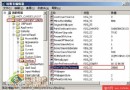
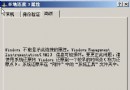
在 C:\Windows\System32\Restore 找到 rstrui.exe,右鍵→「傳送到」→「桌面建立捷徑」。日後雙擊捷徑即可一鍵啟動。命令列輸入 rstrui 或「執行」輸入 rstrui 亦可。
C:\Windows\System32\Restore
rstrui.exe
rstrui
C:\Windows\System32\Restore\rstrui
提醒: 以上模式無法建立新還原點。請務必先關閉防毒軟體、防火牆等常駐程式,確保還原順利進行。
CMOS 密碼破解完全手冊:從通用碼到硬體放電
大記憶體新用法:用 Tweak XP 建立 RAM Disk 加速暫存檔讀寫
使用 netsh 命令列完整掌控 Windows XP 防火牆設定
2.1 喇叭聲音左右不平衡?排查步驟與硬體修復指南
極致精簡 Windows XP:打造 470MB 超薄系統,XPlite 專業版實戰教學
Windows XP 網路橋接功能設定完整教學
Windows XP 進入安全模式兩大法:開機 F8 狂按與 msconfig 設定 /SAFEBOOT
自製 USB 開機殺毒盤:讓 DOS 版殺毒軟體在無軟驅電腦上發揮餘熱