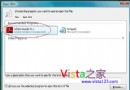
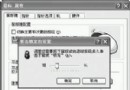
命令提示字元輸入 netsh,提示符變為 netsh>,再輸入 firewall 進入 netsh firewall> 環境。輸入 help 可查看可用指令。
add allowedprogram:新增允許通行的程式add portopening:新增允許通行的連接埠delete:刪除規則show:顯示目前設定set:修改設定reset:重設為預設值dump:匯出設定腳本add allowedprogram [program=]路徑 [name=]名稱 [mode=]ENABLE|DISABLE [scope=]ALL|SUBNET|CUSTOM [addresses=]IP範圍 [profile=]CURRENT|DOMAIN|STANDARD|ALL範例:add allowedprogram program="C:\Program Files\Messenger\msmsgs.exe" name="MSN Messenger" mode=ENABLE scope=ALL
add portopening [port=]連接埠號 [protocol=]TCP|UDP [name=]名稱 [mode=]ENABLE|DISABLE [scope=]ALL|SUBNET|CUSTOM [addresses=]IP範圍 [profile=]CURRENT|DOMAIN|STANDARD|ALL範例:add portopening port=80 protocol=TCP name="Web Server" mode=ENABLE
show allowedprogram:列出所有允許程式show portopening:列出所有開放連接埠delete allowedprogram program="路徑":移除程式規則delete portopening port=80 protocol=TCP:移除連接埠規則透過批次檔或遠端命令列,可快速部署防火牆例外規則,適合入侵測試後維持存取、或企業環境自動化佈署。
使用 Ghost 備份 Windows XP 的五大關鍵建議
Windows XP 進階重啟技巧:系統死鎖與資源管理器崩潰自動重啟
Windows XP 文件安全三大實用技巧:加密、隱藏共享、設為專用資料夾
Windows XP 另類卸載六法:修復主控台、頑固程式、殘留項目、驅動程式、DLL 自動卸載、還原點清理
破解知名 Windows 謠言:Ghost 擴容硬碟與 Svchost.exe 病毒誤區(上)
Windows XP 安裝參數大揭密(上):winnt32.exe 基礎參數完整解析
Windows 與它的父親·四:DOS 目錄管理內部命令(MD、RD、CD)與外部命令(TREE、DELTREE、MOVE、SUBST)