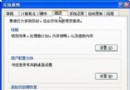
Windows XP 引入「隱藏非作用中圖示」功能,久而久之,「工作列屬性」的「自訂通知」清單中會殘留已解除安裝程式的圖示,系統並無內建清除選項。
regedit
HKEY_CURRENT_USER\Software\Microsoft\Windows\CurrentVersion\Explorer
此操作僅移除歷史記錄,不影響目前執行中程式的托盤圖示。重新啟動後,系統會重新建立乾淨的 TrayNotify 結構。
WinXP 出現「延遲寫入失敗」錯誤原因與解決對策
實用電腦加速方案:登錄表四大關鍵值深度調校
Windows XP 虛擬記憶體最佳設定指南:標準與精準調校法
修改 Setupp.ini 將 OEM 版 Windows XP 轉為零售版:安裝介質屬性重定義實戰
超乎想像的四種電腦開機方式:定時、鍵盤、網路、電視卡
Windows XP 系統優化五大關鍵:啟動參數、服務精簡、錯誤報告、系統還原、虛擬記憶體
破解 Windows XP 群組原則「僅允許執行許可程式」鎖死困境
C 磁碟空間不足?迅雷看看快取目錄佔用巨大空間一鍵清理