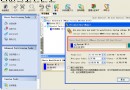
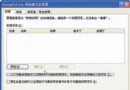
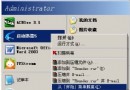
Windows 2000/XP 檔案總管(Explorer.exe)當機,桌面、工作列消失,系統無回應。
Explorer.exe → 右鍵「結束處理程序」→ 確認警告視窗選「是」。桌面與工作列將消失。Explorer → 按 Enter。適用於 Explorer 當機、右鍵選單無回應、桌面圖示消失等情況,快速恢復操作環境。
硬碟分區與大小調整完整教學:FDISK 建立分區、Partition Magic 無損調整大小圖解
Windows XP 桌面圖示文字隱藏術:Alt+數字鍵輸入空白字元、內碼輸入法、建立無名資料夾
熊貓燒香病毒 nvscv32.exe 變種特徵與中毒現象 (3/3)
遊戲加速利器:Game Booster 一鍵關閉背景服務釋放記憶體
在 Windows XP 下移除 Ubuntu 雙系統:恢復啟動、刪除分區、轉換檔案系統
Windows XP 快速將 FAT32 轉換為 NTFS:內建 convert 指令一鍵完成,無需第三方工具