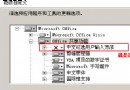
X:\i386\winnt32 /cmdcons(X 為光碟機代號) → 安裝 → 重開機開機選單出現「Microsoft Windows XP Recovery Console」。bootcfg /? 顯示參數說明。bootcfg /add 手動加入 XP 開機項,格式:multi(0)disk(x)rdisk(0)partition(y)(x=硬碟號,y=分區號)。bootcfg /scan 自動掃描硬碟加入開機項。bootcfg /copy 備份 boot.ini。bootcfg /default 設定預設開機項。重裝 Win98 導致 XP 無法開機時,用復原主控台執行 /add 或 /scan 即可修復。
以 Red Hat Linux 9 為例:
fixmbr C: 重建 MBR,讓 XP 主分區接管開機(約 2 秒完成)。diskpart 進入選單模式 → 選取 Linux 分區(ext2/ext3/swap)→ 按 D 刪除。無需第三方分區工具,純 XP 內建指令即可處理多重開機修復與 Linux 移除。