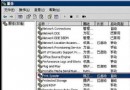
Windows 7「XP 模式」基於 Virtual PC 技術,包含 Windows Virtual PC 引擎與一顆預裝正版 Windows XP SP3 的虛擬機映像。Windows 7 專業版、企業版、旗艦版正版用戶可免費下載使用,主要面向需在 Windows 7 環境下運行舊版 XP 應用程式的中小企業。
關鍵技術規格與限制
- 硬體門檻高: 至少 2 GB 記憶體,CPU 必須支援虛擬化技術(Intel VT-x 或 AMD-V),且 BIOS 需啟用虛擬化選項。許多現有 PC 可能不符合門檻。
- 非安全隔離方案: XP 模式預設會存取主機檔案系統,主機安全性難以保證;用戶需在主機與虛擬機雙邊都安裝防毒軟體。
- 整合體驗: 安裝後 XP 虛擬機在背景運行,使用者無需管理多桌面;XP 程式捷徑自動整合至 Windows 7 開始選單,類似 VMware Fusion/Parallels 的 Unity 模式。
- 大型企業管理工具: 微軟提供 MED-V(Microsoft Enterprise Desktop Virtualization)協助大規模部署與管理,Windows 7 發布 90 天內釋出支援 XP 模式的升級版。
發布時程
Beta 版隨 Windows 7 RC 於 5 月 5 日公開;正式版時程視 Beta 回饋而定,微軟目標是與 Windows 7 同步上市。開發過程與 Windows 7 同步進行,保密至今令人驚訝。