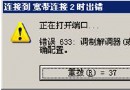
進入 Windows 98 時頻繁出現「Rundll32 這個程式執行無效,即將關閉」,詳細資料顯示「Rundll32 caused a general protection fault in module Mmsystem.dll」。
這可能是 System.ini 檔案的 [boot] 區段缺少「drivers=mmsystem.dll」所致。修復步驟:
也可透過「執行」輸入 msconfig.exe,在「System.ini」標籤下的 [boot] 資料夾中新增該行,同樣能解決問題。
msconfig.exe
WinXP 如何查看所有連接埠與指定 Port?netstat 指令一行搞定
IT 管理員必備十大免費工具 (上):KeePass、Notepad++、TCPView、WinDirStat、OldCmp
WinXP玩大型遊戲虛擬記憶體不足:手動設定800MB固定值解決
WinXP 修改開機歡迎音樂?將喜愛音樂放入 C:\Windows\Media 並透過音效設定套用
USB 安全移除失敗「無法停止通用磁碟區」?四大妙招徹底解決
WinXP從IPv4手動配置遷移至IPv6完整指令教學
Windows XP 實現免帳號自動登入的完整教學
手把手教你優化 Windows XP:十大項目提升系統速度與穩定度