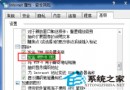
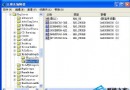
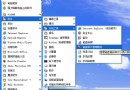
Regsvr32.exe 位於 %SystemRoot%\System32\,專責 ActiveX/COM 元件 (`.dll`、`.ocx`) 註冊與反註冊。
regsvr32 [/u] [/s] [/i[:cmdline]] [/n] DLL名稱
| 參數 | 功能 |
|---|---|
/u | 反註冊 (移除登錄檔項目) |
/s | 靜默模式,成功/失敗皆不彈出對話框,適合批次腳本 |
/i[:cmdline] | 呼叫 DllInstall 進行安裝,可傳遞命令列參數;若未註冊則同時註冊 |
/n | 搭配 /i 使用,僅執行安裝不進行註冊 |
/c | 主控台輸出模式 (較新版本支援) |
regsvr32 myshell.dllregsvr32 /s myshell.dllregsvr32 /u myshell.dllregsvr32 /i myshell.dllregsvr32 /i /n myshell.dll建議將元件複製至 System32 再註冊,避免路徑問題。64 位系統註冊 32 位元件請用 %SystemRoot%\SysWOW64\regsvr32.exe。