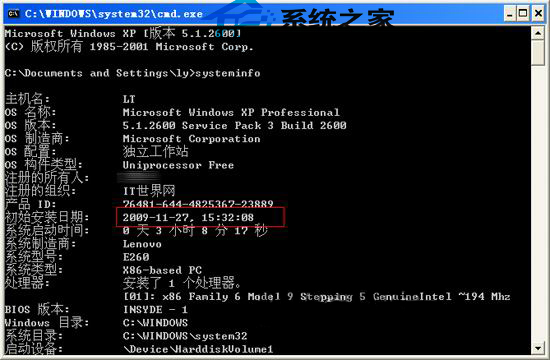
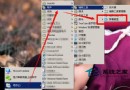
想知道 XP 系統裝了多久?systeminfo 指令可顯示原始安裝日期(Ghost 重灌後仍保留原安裝時間)。
systeminfo
cmd
同畫面還可查看主機名稱、處理器、網卡、已安裝修補程式數量等完整系統資訊。
Windows 下 JSP 開發環境建置三大方案:Tomcat 整合 Apache、IIS 與獨立模式
WinXP 移動硬碟提示「磁碟受寫入保護」三大解除方案
WinXP 玩《劍靈》掉線率高怎麼辦?相容性模式設為 Windows 2000 提升穩定性
告別 Windows 黑畫面死機:三大核心防護策略與修復指南
Office 九大隱藏實用技巧:PDF轉檔、巨集、縮圖導航與更多
WinXP快速修改檔案開啟方式的圖文教程
硬碟邏輯壞軌別慌!Windows 內建工具一鍵修復全教學
XP 開關機加速秘技:熱鍵關機、註冊表極速關機、工作管理員強制關機