一般教學用「啟動群組」放捷徑,但需登入桌面才觸發。用登錄表 Run 鍵值可在系統啟動早期(甚至登入前)自動撥號。
adsl,設定記住帳號密碼,取消「顯示撥號進度」。regedit,展開:HKEY_LOCAL_MACHINE\SOFTWARE\Microsoft\Windows\CurrentVersion\Runc:\windows\system32\rasphone.exe -d adsl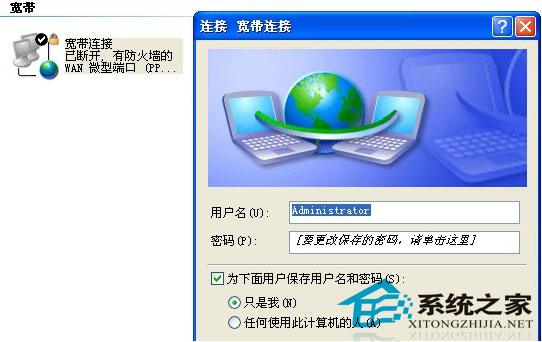
此法比啟動群組更早觸發,適用於伺服器、無人值守主機、需開機即上網的環境。rasphone.exe 為 XP 內建撥號程式。
WinXP 無法更改密碼提示「Windows 不能更改密碼」?兩種解鎖方法
Windows XP 建立 VPN 連線完整圖文教學:遠端存取企業資源零距離
Windows 登入密碼破解原理深度解析:lsass 進程注入與 LSA 攔截機制
Windows 系統清理四大核心原則:殺毒更新、登錄清理、軟體審查、權限最小化
群組原則鎖定 IE 首頁防竄改:禁用變更首頁設定、解決惡意軟體/安裝包/網站強制修改首頁
Windows XP 建立無法刪除的資料夾技巧:CMD 特殊命名法
WinXP 如何自訂印表機紙張大小?建立新表單並套用至預設印表機
Windows XP Update 出現 0x8024402F 錯誤?變更 DNS 為 4.2.2.1/4.2.2.2 解決通訊中斷