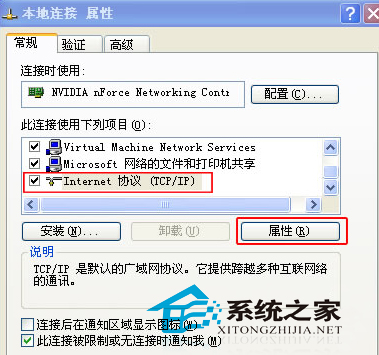
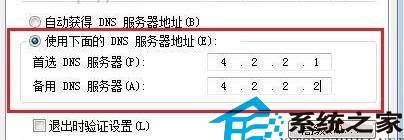
Windows Update 報錯 0x8024402F,主因為更新伺服器通訊暫時中斷。手動指定公開 DNS 可繞過 ISP DNS 問題。
0x8024402F
系統通常會自動重試修復此類暫時性錯誤,可先等待片刻再手動設定 DNS。長期建議使用 Google DNS (8.8.8.8/8.8.4.4) 或 Cloudflare (1.1.1.1)。
Windows 優化迷思破解:善用內建工具,拒絕過度安裝第三方軟體
WinXP 設定雙螢幕(一台電腦兩個顯示器)完整教學
WinXP 右下角提示「請執行 Chkdsk 工具」?CMD 執行磁碟檢查修復壞軌完整教學
自訂XP登入畫面背景顏色的登錄檔修改法
解決 Windows XP 無法安裝字型的終極方案:重建 desktop.ini
Windows 開機自動執行程式完整排查指南:七大檢查位置
WinXP 縮圖檢視不顯示檔名?Shift 鍵切換法與「套用至所有資料夾」兩招秒恢復
硬碟邏輯壞軌別慌!Windows 內建工具一鍵修復全教學