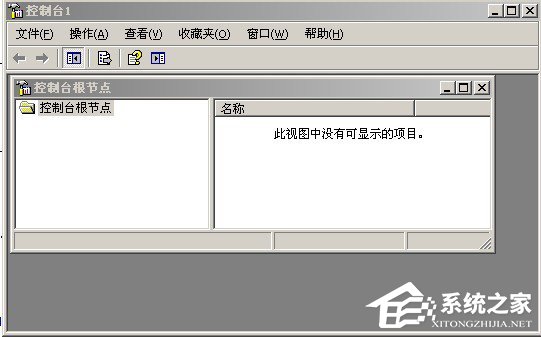
XP 系統右鍵「我的電腦」→「管理」→「裝置管理員」彈出「Windows 找不到 mmc.exe」錯誤。mmc.exe 是 Microsoft 管理主控台核心程式,遺失或損壞會導致所有 MMC 嵌入式管理工具無法啟動。
C:\WINDOWS\system32\mmc.exeC:\WINDOWS\system32
rose.exe 會偽裝在各磁碟根目錄與系統還原區,刪除 mmc.exe 並修改登錄啟動自身。
rose專殺.bat(內容見文末代碼區塊)並執行殺rose病毒.reg 並匯入登錄檔regedit 搜尋 rose.exe,刪除其所在的 Shell 子鍵(按 F3 繼續搜尋至無結果)rose.exe、autorun.inf@echo off
taskkill /f /IM rose.exe
del /F/A:s c:\AUTORUN.INF
del /F/A:s c:\Rose.exe
del /F/A:s d:\AUTORUN.INF
del /F/A:s d:\Rose.exe
del /F/A:s e:\AUTORUN.INF
del /F/A:s e:\Rose.exe
del /F/A:s f:\AUTORUN.INF
del /F/A:s f:\Rose.exe
del /F/A:s g:\AUTORUN.INF
del /F/A:s g:\Rose.exe
del /F/A:s h:\AUTORUN.INF
del /F/A:s h:\Rose.exe
del /F/A:s i:\AUTORUN.INF
del /F/A:s i:\Rose.exe
del /F/A:s j:\AUTORUN.INF
del /F/A:s j:\Rose.exe
del /F/A:s k:\AUTORUN.INF
del /F/A:s k:\Rose.exe
del /F/A:s l:\AUTORUN.INF
del /F/A:s l:\Rose.exe
del /F/A:s m:\AUTORUN.INF
del /F/A:s m:\Rose.exe
del /F/A:s n:\AUTORUN.INF
del /F/A:s n:\Rose.exe
del /F/A:s o:\AUTORUN.INF
del /F/A:s o:\Rose.exe
del /F/A:s c:\system32\rose.exe
del /F/A:s c:\system.sys
del /F/A:s c:\windows\system32\run.reg
del /F/A:s c:\windows\system32\systemdate.ini
del /F/A:s d:\systemdate.ini
del /F/A:s d:\systemfile.com
regedit 殺rose病毒.regWindows Registry Editor Version 5.00
[HKEY_LOCAL_MACHINE\SOFTWARE\Microsoft\Windows\CurrentVersion\Run]
"dll"=-sfc /scannow以上均無效 → 重灌系統。建議平時養成備份習慣,降低重灌成本。
「mmc.exe 遺失多半是誤刪或病毒所為,補檔最快,查毒最徹底,SFC 最正規。」
中小企業 Windows 版本選型指南:WHS 2011、WSS 2008 R2 Essentials、SBS Essentials 深度比較
電腦機箱嗡嗡響?三步診斷法精準定位風扇/硬碟/電源/記憶體/CPU 異響源頭
忘記 WinXP 開機密碼怎麼辦?Ctrl+Alt+雙擊 Delete 進經典登入、電腦管理重設密碼、DOS 工具箱繞過登入三大絕招
修改登錄加速 Win7:Aero Peek、工作列預覽、選單延遲三大提速鍵值
解決 Windows 7 播放網頁視頻無聲問題:註冊表修復 wavemapper