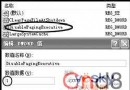
Svchost.exe 是 NT 核心系統關鍵進程(%SystemRoot%\System32\svchost.exe),屬「共享進程」,載入多個以 DLL 形式實現的系統服務(如 RPCSS、Dhcp、Dmserver),節省資源。Win2000 通常 2 個,XP 4 個以上,2003 更多,多個屬正常現象。
tlist -s(需安裝 Support Tools)。tasklist /svc。服務以 DLL 形式存在,註冊表 HKLM\System\CurrentControlSet\Services\服務名\Parameters\ServiceDll 指定 DLL 路徑,Svchost 讀取註冊表啟動對應服務。
svchost.exe 僅存在於 C:\Windows\System32\。C:\Windows\System32\Wins\)發現同名檔案,極大機率為病毒。口訣: 位置正才是真,亂竄定是毒;多進程別怕,看路徑最準。