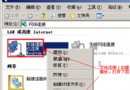
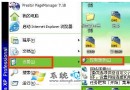
精簡版 XP 移除智慧卡服務導致 U盾(金融憑證裝置)無法安裝。從完整版 XP 複製以下四個檔案到精簡版對應目錄:
system32\scardsvr.exe
system32\scarddlg.dll
system32\winscard.dll
system32\drivers\smclib.sys
然後依序執行:
scardsvr reinstall
regsvr32 scardssp.dll
服務中即會出現「智慧卡」服務,設為「自動」並啟動,U盾即可正常安裝使用。
Windows Server 2008 安裝應用程式常見問題解決方案
Windows XP 瘦身大全:刪除備份、移除輸入法、轉移暫存檔、虛擬記憶體全攻略
資料夾選項變空白?註冊表遺失鍵值導致,教你快速修復
Windows XP 是否支援安裝 .NET Framework 4.5?實測與替代方案
Windows XP 系統服務優化:停用無用服務提升速度與安全性完整指南
讓 Windows 捷徑支援相對路徑:批次檔替代方案
Windows XP 系統安全硬化必殺技:從系統檔修復到登錄優化
Windows XP 忘記密碼破解法(三):禁用 Shift 繞過自動登入、建立受限帳戶、限制登入時間、EFS 加密檔案風險與備份