Windows XP Windows 7 Windows 2003 Windows Vista Windows 綜合教學 Linux 系統教學
Windows 10 Windows 8 Windows 2008 Windows NT Windows Server 電腦軟體教學

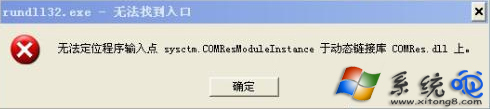
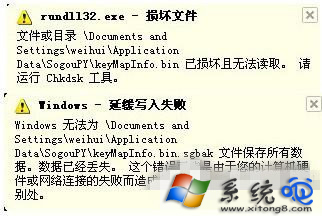
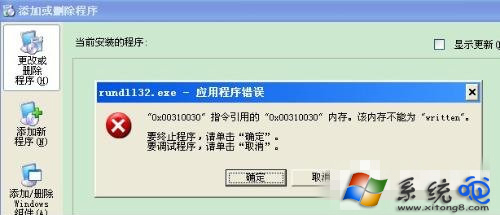
XP Rundll32.exe 應用程式錯誤?理解原理、病毒利用手法與修復方向

編輯:Windows XP 系統介紹

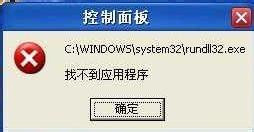
XP 常見 Rundll32.exe 應用程式錯誤,多因 DLL 檔案損毀、病毒掛載、註冊表錯誤導致。本文深入解析 Rundll32 原理、病毒利用方式、合法用法,並提供修復思路。

Rundll32.exe 是什麼?

  • 合法系統元件:執行 32 位元 DLL 內部匯出函數,命令列語法:
    Rundll32.exe <DLL路徑>, <函數名> [參數]
  • 用途:控制台項目啟動、系統功能呼叫 (如 rundll32.exe user.exe,RestartWindows 重開機)。
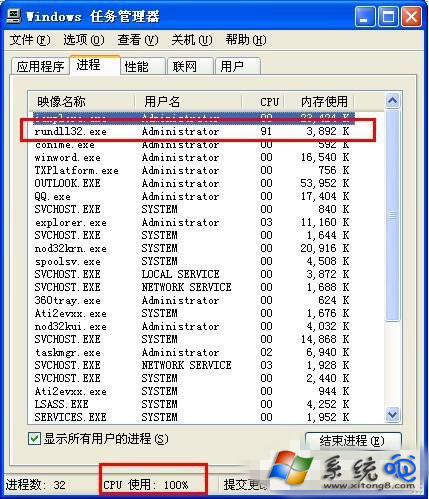
  • 正常情況下系統會有多個 Rundll32.exe 進程,各執行不同 DLL。

病毒常見濫用手法

  • 將惡意 DLL 掛載到 Rundll32 執行,進程名顯示為合法的 Rundll32.exe,隱藏惡意代碼。
  • 在啟動項、排程工作、服務中註冊 Rundll32 執行惡意 DLL,達到持久化。

判斷與修復方向

  1. 檢查命令列參數:工作管理員/Process Explorer 查看 Rundll32.exe 命令列,若 DLL 路徑異常 (非 System32、非已知程式目錄) 即為可疑。
  2. 掃毒:完整掃描清除掛載的惡意 DLL。
  3. 修復系統檔案:sfc /scannow 修復損毀的系統 DLL。
  4. 檢查啟動項/登錄表:msconfig、Autoruns 清除可疑 Rundll32 啟動項。

技術細節補充 (原文保留)

  • 函數原型:Void CALLBACK FunctionName(HWND hwnd, HINSTANCE hinst, LPTSTR lpCmdLine, int nCmdShow);
  • DLL 路徑含空格需用短檔名 (如 Progra~1)。
  • DLL 名與函數名間逗號不可省略。
  • 不可呼叫有傳回值的 DLL 函數 (如 GetUserName)。
  • VB 中可用 Shell "rundll32.exe user.exe,RestartWindows" 重開機。
  • 可呼叫控制台項目:rundll32.exe shell32.dll,Control_RunDLL appwiz.cpl 開啟新增移除程式。
    Rundll32 參考 RUNDLL.EXE 注意事項 VB Shell 範例 控制台呼叫
Copyright © Windows教程網 All Rights Reserved