許多人以為更換 Windows 開機畫面必須用 eXeScope 修改系統資源,或安裝 BootSkin 等第三方工具。其實在 Windows XP/2003 中,只要善用開機參數,幾秒鐘就能讓開機畫面「變臉」,完全不需動到系統核心檔案,零風險、可隨時還原。
Boot.bmp(大小寫皆不可變)Windows 目錄下(通常為 C:\Windows\Boot.bmp)製作小技巧:在 Photoshop 新建 640×480 黑色背景圖層,疊加喜歡的圖片,模式轉為「索引色色彩」,儲存時選 16 色 BMP 即可。
C:\Boot.ini(系統、隱藏、唯讀屬性需先取消) /bootLogo /noguiboot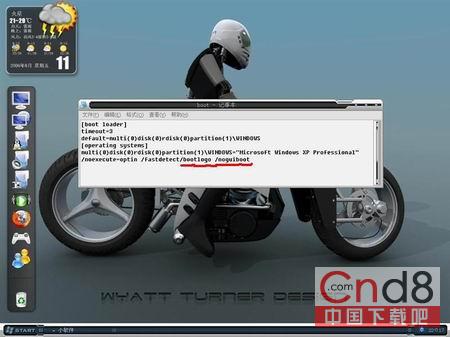
若對畫面不滿意,直接替換 Boot.bmp 再重開機即可,無需再改設定。下方展示幾張自製範例供參考。
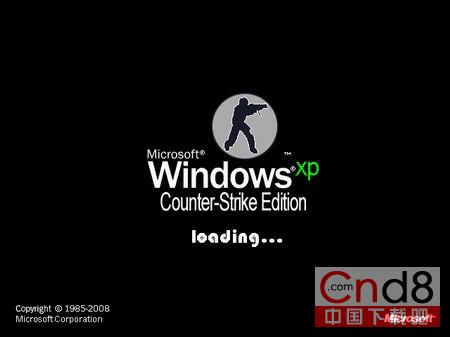
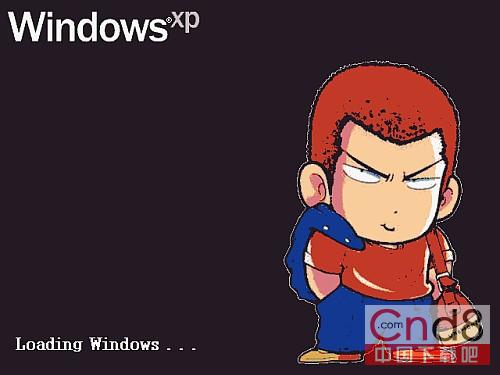
微軟修復 Windows 三大漏洞:MS11-002 危急級、MS11-001 重要級(含 XP/Vista/Win7)
打造通用型 Windows XP Ghost 映像:Sysprep 重新封裝與瘦身全攻略
備份硬體設定檔:解決硬體變更導致 Windows 無法開機的關鍵技巧
Windows Audio 服務無法啟動?錯誤 1079 完整修復指南
Windows XP 設定隱形開機密碼:利用 Boot.ini 隱藏第二作業系統
區域網路主機互存無障礙完整解決方案 (1/2):硬體排除、協定安裝